Request a stop on desktop
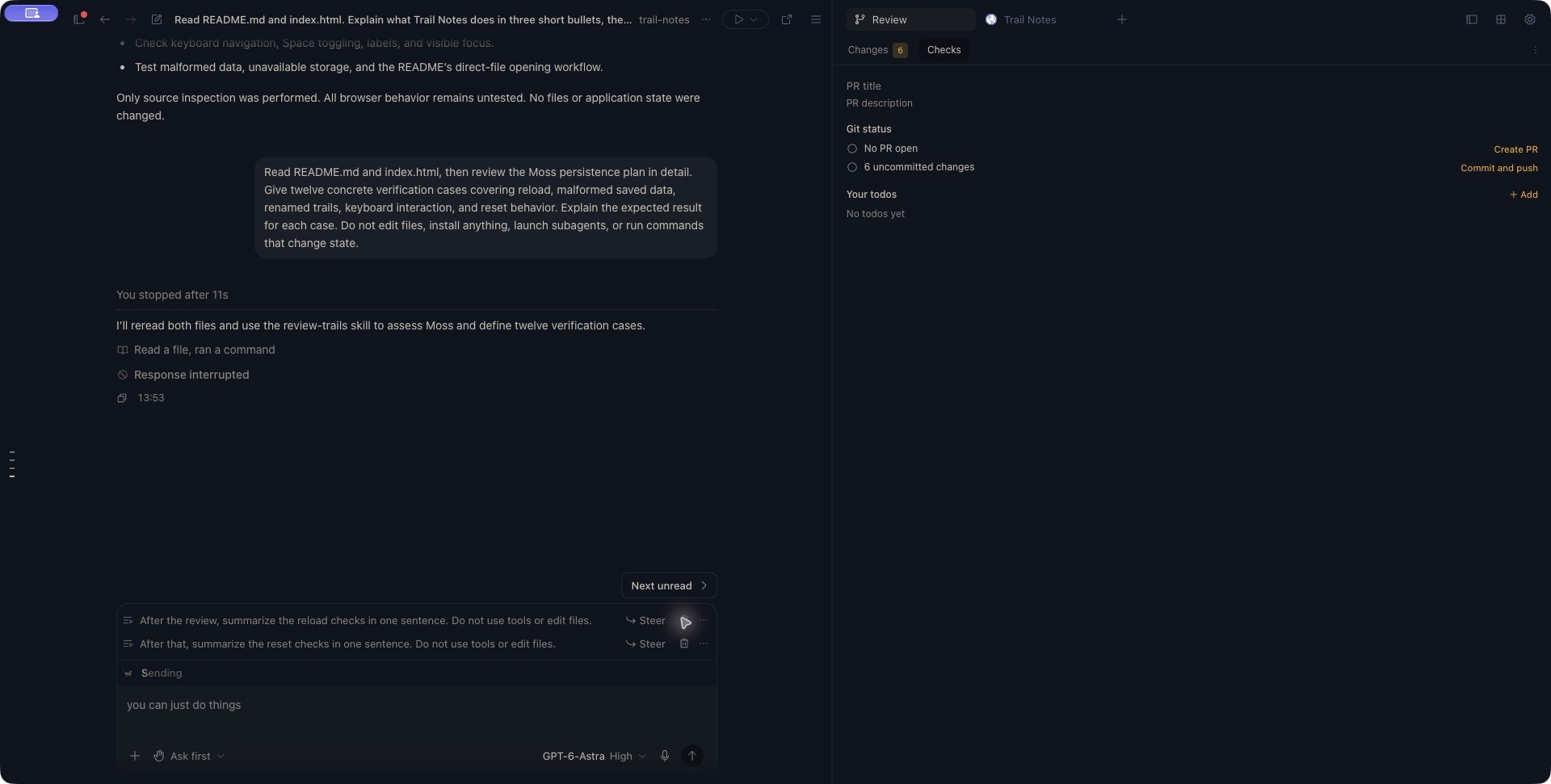
While a response is streaming, choose Stop response in the composer. The control uses a square icon. The composer shows Stop when it is streaming and has no draft message or attachment to send. If you have a follow-up prepared, the button can show Send message instead. Keep your draft and use Ctrl+Shift+Backspace to interrupt the streaming response. This shortcut uses Ctrl on macOS too. Wait for the conversation to stop responding or report an error. The request may have to reach an agent that is still starting its turn. A response can also finish naturally while Stop is being processed; that does not reverse the work it just completed. An interrupted desktop response can show You stopped after… and Response interrupted. Check the response’s outcome and the retained queue separately.Two follow-ups remain above the empty composer after Stop. Use a row's Steer control to request delivery, or its delete control to remove the pending instruction.
View the full stopped conversation
View the full stopped conversation
Check what remains
After stopping, inspect the conversation and project:- Read the last response and tool results to see what completed.
- Open Git Review to inspect file changes.
- Check any terminal or background work separately. Do not use the absence of chat output as proof that an independently started process has exited.
- Review queued messages. Stop preserves retained queued work; it is not a command to delete the queue.
- Check the goal, if there is one. Stop attempts to pause it as part of interrupting the turn.
Continue deliberately
When the conversation is ready, send a new instruction describing what should happen next. For example:Check which changes were completed before I stopped the response. Keep the existing storage implementation. Continue with tests only, and report any incomplete behavior before making further edits.With no retained queue, this starts another turn using the conversation’s context; it does not rewind the interrupted turn or roll back its effects. Check retained queued instructions before sending so they still match your intended next steps. If pending rows remain, another send can join that queue. To run an existing retained instruction on desktop, use its Steer control. After that response completes successfully, later retained instructions can continue in order. Delete or edit unwanted rows before resuming; cancelling a queue edit restores the original instruction. If the goal shows Paused goal, use Resume goal when you want automatic goal work to continue. Sending an ordinary message and resuming a goal are separate actions. For a separate discussion based on an earlier completed response, use Continue from this response. That workflow creates another conversation; it does not undo the stopped turn’s file changes.
If Stop is not confirmed
Kisuke can show Could not stop this turn with a message beginning Stop was not confirmed. The turn may still be running.- Restore the connection if it dropped.
- Check the conversation’s current activity and any pending interaction.
- Retry Stop if the turn is still active.
- Check the goal state separately; a failed interruption and a goal pause are not the same outcome.